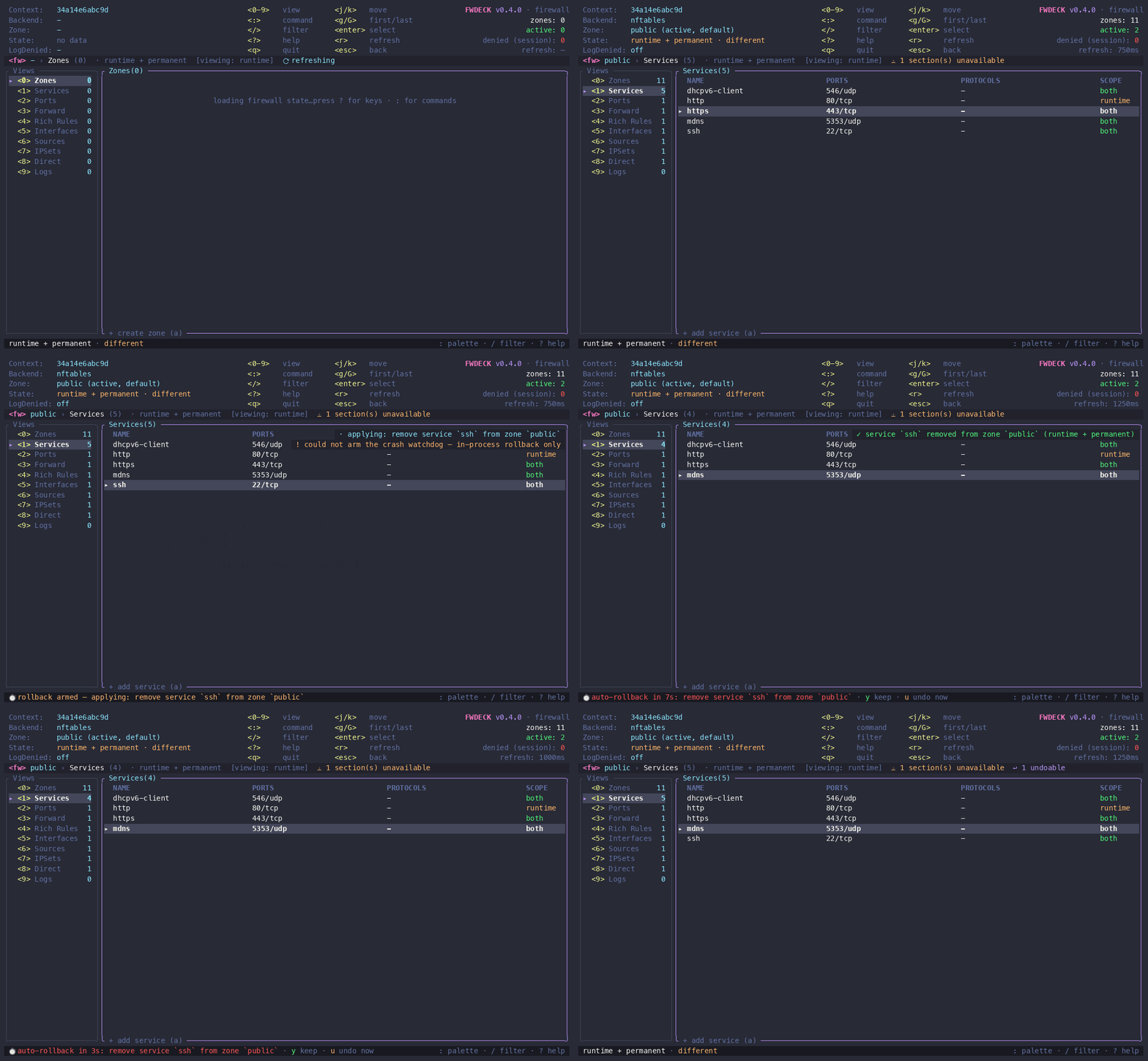
Your firewall, on one screen. Nothing applied without review.
FWDeck is a safety-first terminal UI for firewalld.
Zones, services, ports, and rules — fast, keyboard-only, runtime vs permanent always
visible, and a confirmation in front of anything that could lock you out.
Everything firewalld can do, visible and reviewable — with the guard
rails you wish you had the last time a rule cut your SSH session.
⏱
Dead-man's switch
Risky changes start a rollback countdown. Confirm you still have a working
session — or FWDeck reverts automatically. Locking yourself out is no longer
a one-way door.
🔍
Runtime vs permanent, always
Every row shows its scope, the header shows drift, and Zone Overview shows
it per attribute. No more guessing what survives a reload.
📋
Staged plans & exports
Stage changes, review the batch, apply once — or export it as a
firewall-cmd script, JSON, or an Ansible playbook.
📸
Snapshots & restore
Save the configuration before maintenance. Restore diffs the snapshot against
the current state and stages the exact way back — reviewed, never automatic.
⌨️
Everything in the palette
A fuzzy command palette (:) with context-aware availability —
from allowing a service to panic mode. Guided rich-rule builder included.
✍️
Honest results, signed builds
Partial failures are reported as partial failures — never as success. JSONL
audit trail. Releases checksummed and Cosign-signed (Sigstore keyless).
Workflows
Common tasks, exact keystrokes
Every mutation shows a confirmation stating the resource, zone, scope,
and connectivity risk. y applies · s stages · n cancels.
Allow HTTPS
1→a→https→enter→y
Services view, add, type the name, review, apply.
Open a port
2→a→8080/tcp→y
Ranges work too: 5000-5010/udp.
Forward 8080 → 80
3→a→port=8080:proto=tcp:toport=80→y
Optionally add :toaddr=10.0.0.5.
Block a range
:→build→ipv4 · 203.0.113.0/24 · reject
The guided builder assembles valid rich-rule syntax step by step with a live preview.
Activate a zone
5→a→eth1→y
A zone is active when it has interface or source bindings. Delete bindings with d to deactivate.
Bulk delete
spacemark rows→d
One confirmation lists everything that will be removed.
Safety model
What protects you
Validation first — duplicates, unknown zones, and invalid input are rejected before any modal.
SSH awareness — FWDeck knows which interface your session uses and warns precisely when a change targets its zone.
Honest partial failures — runtime-applied / permanent-failed is reported as exactly that, with per-step details and a rollback hint.
Audit trail — every applied operation recorded as JSONL with its exact invocations.
Single mutation owner — an OS-backed lock prevents concurrent writers and is released automatically if FWDeck exits.
Read-only mode — --read-only disables mutations in the engine, not just the buttons.
Offline mode — fix the permanent config from rescue/chroot with --offline, no daemon needed.
Field notes
Operational reasoning, not only commands
Practical firewalld workflows for operators who need to understand the failure path before they touch the rule.
The install script checks the SHA-256 checksums and the Cosign keyless
signature before anything touches your disk.
$ curl -fsSL https://raw.githubusercontent.com/madebydaniz/fwdeck/main/scripts/install.sh | bash
$ fwdeck doctor # checks your environment — never touches the firewall$ fwdeck --read-only # look around safely first$ sudo fwdeck # full control
Prebuilt for x86_64 /
aarch64, glibc and static musl — every
archive includes shell completions and a man page. Verify any release yourself:
SECURITY.md.